

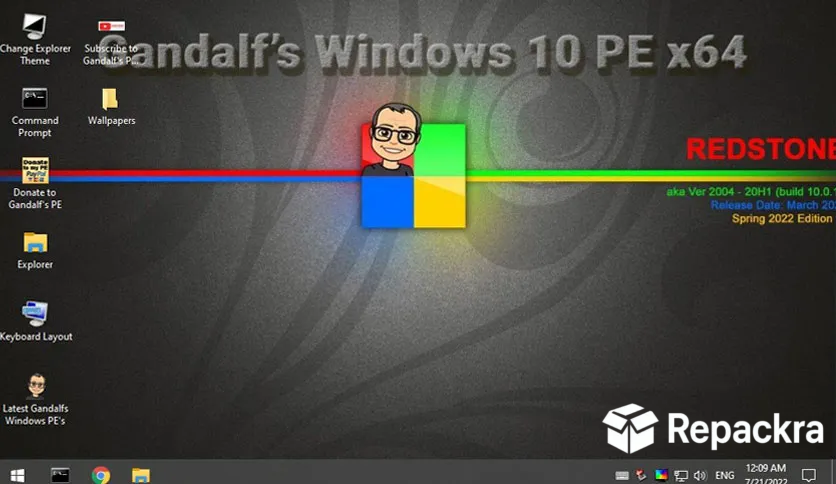
Gandalf’s Win10PE is one of the most respected and comprehensive bootable Windows PE environments in the tech repair community, and it has earned that reputation through years of consistently reliable releases. This Redstone 6 build based on Windows 10 19H2 Build 18363 brings a mature and stable collection of recovery and repair tools packed into a familiar Windows like environment.
I keep a copy ready on USB because when a machine goes down and needs serious attention, having something this well equipped available immediately makes an enormous difference.
Gandalf’s Win10PE Overview
Gandalf’s Win10PE is a community built bootable Windows Preinstallation Environment loaded with a thoughtfully selected collection of system repair, data recovery, disk management, antivirus, and diagnostic tools. It boots directly from USB or DVD without touching your installed operating system and gives,
you a fully functional desktop environment to work from when your main Windows install is no longer accessible. Gandalf’s Win10PE feels familiar to anyone comfortable with Windows which makes it approachable even for users who aren’t deeply technical.
Technicians who want a second Windows PE option with a different tool set alongside Gandalf’s will find Bob.Omb Win10PE ISO 64-bit a solid companion, offering its own carefully curated recovery environment built on the same Windows PE foundation with its own selection of repair and diagnostic utilities.
Key Features
- Bootable Windows 10 PE desktop environment
- Comprehensive disk partitioning and management tools
- File and data recovery utilities included
- Antivirus and malware removal tools
- Password reset and account recovery support
- Registry editor for offline system repair
- Network and Wi-Fi access support
- Backup and disk imaging tools built in
- Hardware diagnostics and testing utilities
- Works on both UEFI and legacy BIOS systems
What’s New in Redstone 6 Build 18363
- Updated driver pack for broader hardware compatibility
- Several repair and recovery tools updated
- Improved Wi-Fi and network adapter support
- General stability improvements throughout
System Requirements
- 64-bit processor Intel or AMD
- 2 GB RAM minimum, 4 GB recommended
- 8 GB USB drive minimum for installation media
- UEFI or legacy BIOS compatible system
How to Install Gandalf’s Win10PE on PC
- Download Gandalf’s Win10PE Redstone 6 Build 18363 ISO.
- Flash the ISO to a USB drive using Rufus or Etcher.
- Boot your PC from the USB drive.
- Select the tool you need from the desktop.
- Begin your repair or recovery task.
How to Download Gandalf’s Win10PE for PC
- Visit the official Gandalf’s Win10PE download source or forum page.
- Select the correct ISO build.
- Wait for the download to finish.
- Verify the checksum if available.
- Flash the ISO to your installation media.
Supported Websites
- Gandalf’s Official Forum Page
- Softpedia
- MajorGeeks
- TechSpot Downloads
- Fosshub
- Filehorse
- 1000+ other trusted sources
Why Use Gandalf’s Win10PE?
What makes Gandalf’s Win10PE stand out from generic recovery environments is how much it feels like sitting at a real Windows desktop rather than a stripped down rescue environment. Everything is clearly laid out, tools are easy to find, and the familiar interface means you’re not wasting time figuring out where things are when you’re already,
dealing with a stressful system failure. The combination of disk tools, data recovery utilities, antivirus scanning, and password reset support covers the vast majority of real world repair situations you’ll ever encounter.
Technicians who want a Linux based recovery option alongside their Windows PE drives will find Ankh Technology Emergency OS a natural complement, bringing its own hardware diagnostics, data recovery, and offline scanning tools from a completely separate OS foundation for the situations where a Windows environment alone is not enough.
For anyone who regularly works on broken Windows machines whether professionally or just for people they know, Gandalf’s Win10PE is one of those tools that earns a permanent spot on a USB drive.
Gandalf’s Win10PE vs Other Recovery Environments
| Feature | Gandalf’s Win10PE | Others |
|---|---|---|
| Familiar Windows Desktop | Yes | Limited |
| Comprehensive Tool Collection | Yes | Limited |
| Built in Antivirus Scanning | Yes | Limited |
| Password Reset Support | Yes | No |
| UEFI and BIOS Support | Yes | Limited |








