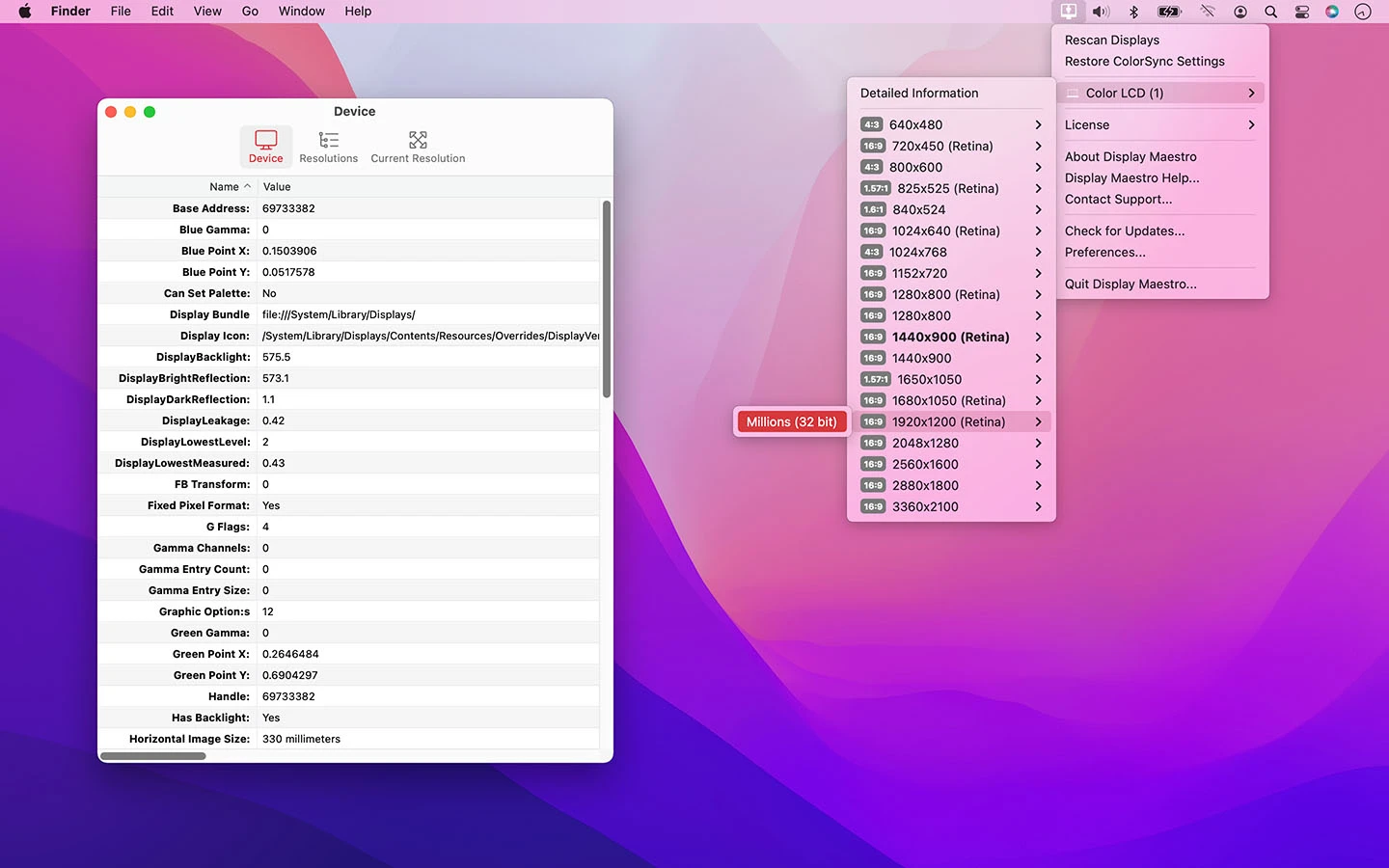
Display Maestro for Mac is the display management tool that anyone running external monitors on a Mac will genuinely appreciate once they realize how much control they’ve been missing. Version 5.3.0 brings a more refined and capable experience for users who want proper resolution control, refresh rate management,
and display profiles without digging through macOS System Settings every time something needs adjusting. I keep it running because managing multiple displays on Mac has always felt more limited than it should be, and Display Maestro for Mac fixes that gap nicely.
Display Maestro Overview
Display Maestro for Mac is a powerful display management utility built for Mac users who need more control over their monitors than macOS provides out of the box. It unlocks custom resolutions, manages display profiles, and gives you quick access to display settings that are either buried or completely unavailable through native macOS tools.
Display Maestro for Mac is the kind of utility that becomes essential the moment you start using it regularly. Users who want to organize their windows just as precisely as they organize their displays will find Rectangle Pro for Mac a natural companion, snapping windows into clean layouts across every monitor Display Maestro is managing.
Key Features:
- Custom resolution support for any connected display
- Quick resolution and refresh rate switching
- Display profile creation and automatic switching
- HiDPI scaling support for non Apple monitors
- Menu bar quick access for display settings
- Multi monitor arrangement and configuration
- Night mode and color temperature controls
- Display rotation and orientation management
- Per display brightness control
- Fully optimized for macOS Sequoia
What’s New in Version 5.3.0
- Improved compatibility with newer external monitor models
- Faster resolution switching response time
- macOS Sequoia compatibility fully resolved
- Several bug fixes across profile and scaling features
System Requirements
- macOS 12.0 or later
- 4 GB RAM minimum
- 100 MB storage space available
- Intel or Apple Silicon Mac supported
How to Install Display Maestro on Mac
- Download Display Maestro 5.3.0 for Mac.
- Open the DMG file.
- Drag Display Maestro to your Applications folder.
- Launch Display Maestro for Mac.
- Grant necessary permissions when prompted.
How to Download Display Maestro for Mac
- Visit the official Display Maestro website or Mac App Store.
- Click the Download button on the page.
- Wait for the DMG file to finish downloading.
- Open Downloads and open the DMG file.
- Drag to Applications and launch.
Supported Websites
- Display Maestro Official Website
- Apple Mac App Store
- MacUpdate
- Softpedia
- Fosshub
- Filehorse
- 1000+ other trusted sources
Why Use Display Maestro for Mac?
The honest reason to use Display Maestro for Mac is that macOS gives you surprisingly little control over display behavior once you step outside of Apple’s own monitor lineup. Third party monitors often don’t expose the resolutions and refresh rates they’re actually capable of, and switching between display configurations for different workflows requires far too many clicks through System Settings.
Display Maestro for Mac puts all of that in one accessible place, so switching from a work layout to a presentation setup or adjusting resolution for a specific task takes seconds instead of minutes.
Users who want their temperature, CPU, and fan data sitting right in the menu bar alongside their display info will find Stats for Mac a natural companion, rounding out the system visibility Display Maestro doesn’t cover on its own. For anyone running a multi monitor setup or using a non Apple display with their Mac, this is one of those utilities that quickly feels indispensable.
Display Maestro vs Other Display Tools
| Feature | Display Maestro | Others |
|---|---|---|
| Custom Resolution Support | Yes | Limited |
| Automatic Profile Switching | Yes | No |
| HiDPI Scaling for Any Monitor | Yes | Limited |
| Menu Bar Quick Access | Yes | Limited |
| Mac Optimized | Yes | No |