

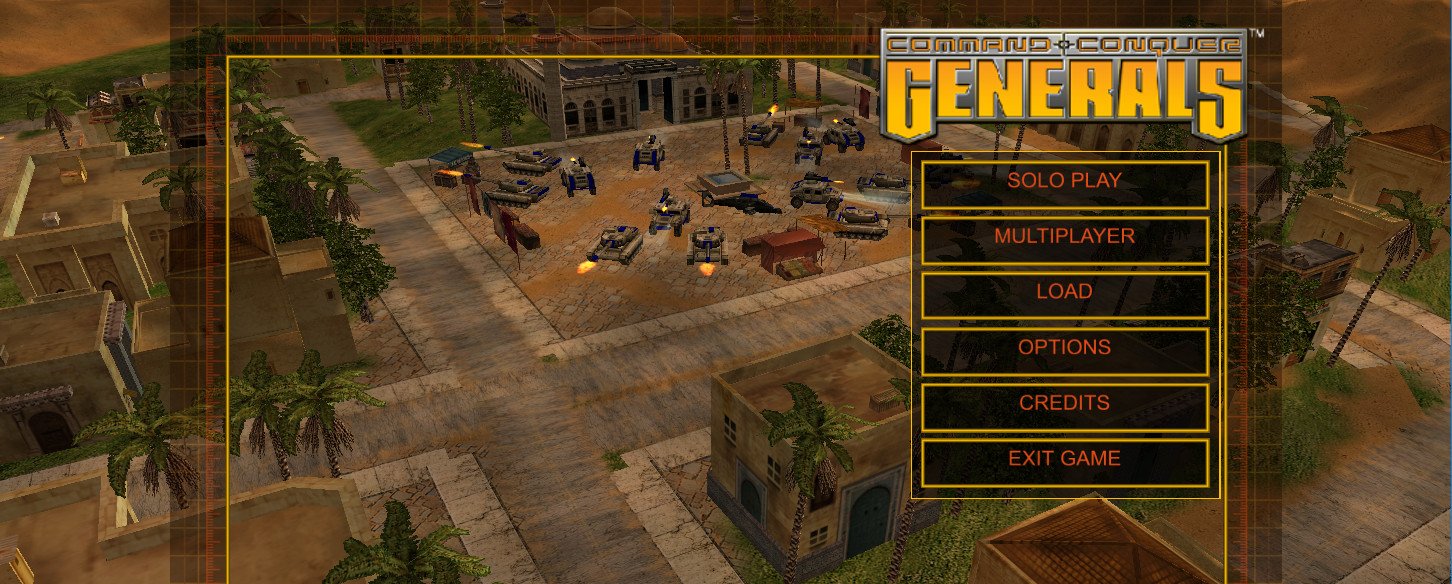
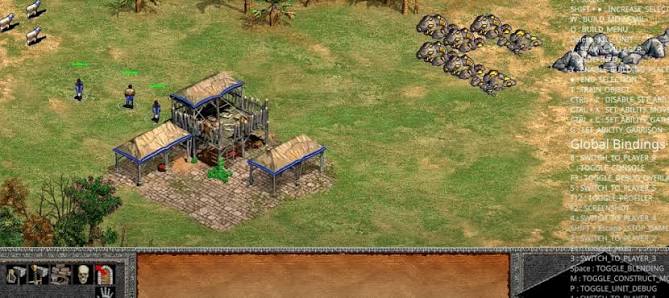
OpenSAGE for PC is the open source reimplementation of the SAGE engine that powers Command and Conquer Generals and its Zero Hour expansion, giving fans of these classic RTS games a path toward running them on modern hardware without the compatibility headaches that come with trying to run fifteen year old games on a current Windows installation.
Version 0.3.0 brings meaningful progress on a project that has been quietly and steadily building toward a genuinely playable experience that preserves these games properly for the future. I keep an eye on it because Command and Conquer Generals remains one of the best RTS games ever made and having a modern open source engine underneath it changes what becomes possible for the community long term.
I’ve also been keeping tabs on Beyond All Reason (BAR) for a similar reason, since it takes a completely fresh approach to large scale RTS combat rather than reviving an existing engine, and it scratches a related itch while OpenSAGE keeps developing.
OpenSAGE Overview
OpenSAGE for PC is a free and open source game engine reimplementation that reads the original asset files from Command and Conquer Generals, Zero Hour, and other SAGE based games and runs them through a completely rewritten modern codebase. The goal is full playability with improved compatibility, modding support, and the ability to run these games properly on modern operating systems without workarounds.
For fans of the broader Command and Conquer universe who want something already fully playable today, OpenRA for PC has been doing this same kind of engine revival work for the original Red Alert and Tiberian Dawn for years and is much further along in that respect. OpenSAGE for PC requires the original game files to function and is not a standalone game but a modern engine that breathes new life into the games you already own.
Key Features:
- Reimplemented SAGE engine for modern hardware
- Reads original C&C Generals and Zero Hour assets
- Improved compatibility with modern Windows versions
- Enhanced rendering with modern graphics pipeline
- Map viewer and asset inspection tools
- Active open source development with community contributions
- Modding foundation for future community content
- Cross platform development targeting Windows and beyond
- Asset loading from original game installations
- Completely free and open source
What’s New in Version 0.3.0
- Improved asset loading compatibility across game versions
- Better rendering accuracy for original game visuals
- Additional game systems implemented toward playability
- Several bug fixes and stability improvements
System Requirements
- Windows 10 or later, 64-bit
- 8 GB RAM minimum
- 500 MB storage for OpenSAGE plus original game files
- Vulkan compatible GPU with 2 GB VRAM
- Quad core processor recommended
- Original C&C Generals or Zero Hour installation required
How to Install OpenSAGE on PC
- Download OpenSAGE 0.3.0 for PC.
- Extract the downloaded file.
- Point OpenSAGE at your existing C&C Generals installation.
- Launch OpenSAGE for PC.
- Explore the available features and asset viewer.
How to Download OpenSAGE for PC
- Visit the official OpenSAGE GitHub page.
- Click the latest release download link for Windows.
- Wait for the download to finish.
- Extract the downloaded archive.
- Run the executable and configure your game path.
Supported Websites
- OpenSAGE GitHub Official Page
- OpenSAGE Official Website
- ModDB Community Page
- C&C Community Forums
- Softpedia
- Fosshub
- 1000+ other trusted sources
Why Use OpenSAGE for PC?
What makes OpenSAGE for PC genuinely exciting for fans of Command and Conquer Generals is what it represents for the long term preservation and expansion of these games rather than just what it can do right now. A modern open source engine implementation means community modders eventually gain access to capabilities the original SAGE engine never exposed,
compatibility problems with new Windows versions become solvable rather than permanent, and the games get a foundation that can be maintained and improved indefinitely rather than slowly becoming unplayable as hardware and software moves on.
Even in its current state the asset viewer and partial game loading give fans a fascinating look inside the engine and a reason to follow the development closely as it moves toward full playability. If your taste in strategy games goes back even further, 0 A.D. for PC is another free and open source RTS worth having on your radar, built from the ground up rather than reviving a commercial engine, and it’s fully playable right now for anyone who wants something in this space today.
OpenSAGE vs Other RTS Preservation Projects
| Feature | OpenSAGE | Others |
|---|---|---|
| Full Engine Reimplementation | Yes | Limited |
| Original Asset Compatibility | Yes | Limited |
| Modern Graphics Pipeline | Yes | No |
| Active Community Development | Yes | Limited |
| Completely Free and Open Source | Yes | No |








