

balenaEtcher for Windows is the OS image flashing tool that burns ISO and IMG files onto USB drives and SD cards in just a few clicks instead of leaving you to wrestle with complicated command line tools. Version 2.1.6 brings a more refined and reliable experience for anyone who regularly needs to create bootable installation media.
I keep it installed at all times because it gives me a fast, foolproof way to prep a bootable drive without any risk of picking the wrong device by mistake. Linux enthusiasts and security professionals who regularly flash distros like Kali Linux ISO will find balenaEtcher one of the most reliable and straightforward ways to get it onto a USB drive without any of the configuration that other flashing tools require.
balenaEtcher Overview
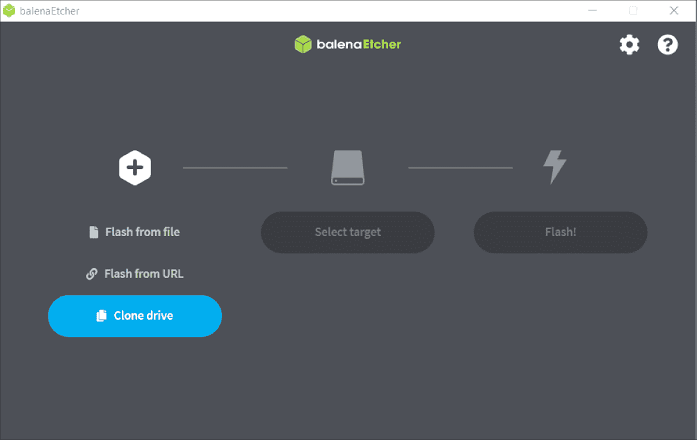
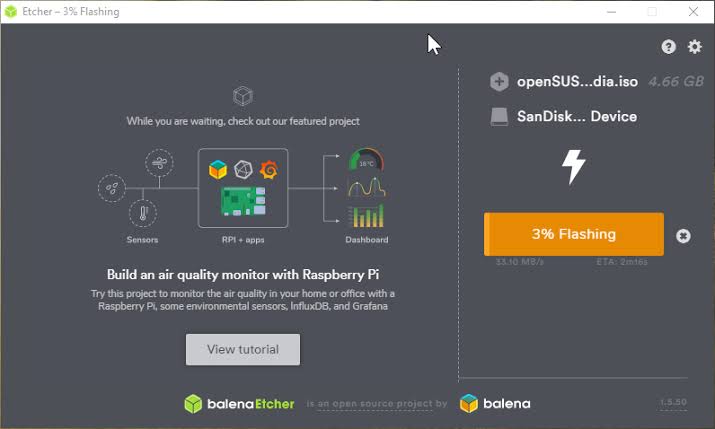
balenaEtcher for Windows is a free and open source utility built by Balena that flashes operating system images onto SD cards and USB flash drives safely and easily. It walks you through a simple three step process of selecting your image, choosing your target drive, and flashing, while actively protecting you from accidentally overwriting your system drive.
balenaEtcher for Windows is one of the most trusted ways to create bootable installation media on any Windows machine. Power users who want more advanced control over partition schemes, file systems, and UEFI versus legacy boot options when flashing their ISOs will find Rufus for Windows a natural companion, offering a deeper set of configuration options for users who know exactly what they need from their bootable media.
Key Features
- Flash ISO and IMG files to USB drives and SD cards
- Simple three step process: select, choose, flash
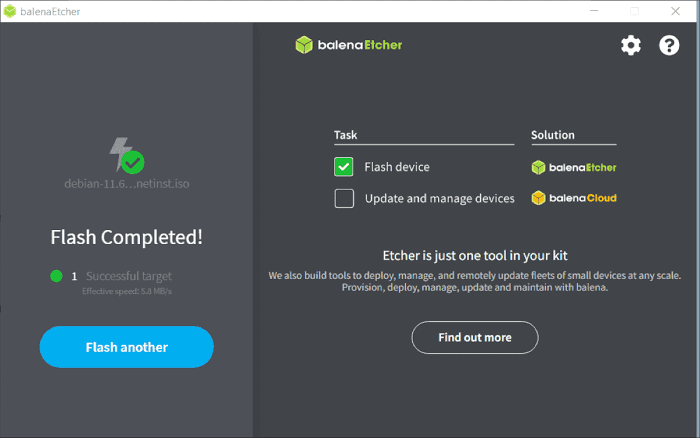
- Automatic validation after flashing to confirm write integrity
- Protection against accidentally selecting system drives
- Support for a wide range of image formats
- Clean, minimal interface with no unnecessary clutter
- Portable version available with no installation needed
- Open source codebase available for public review
- No adware, cryptocurrency miners, or third party toolbars bundled
- Fully compatible with Windows 10 and Windows 11
What’s New in Version 2.1.6
- Continued refinements to build stability across platforms
- Updated dependencies and packaging improvements
- Several under-the-hood bug fixes and stability improvements
System Requirements
- Windows 10 or later, 64-bit (use v7.9.0 for Windows 7, 8, or 32-bit systems)
- 2 GB RAM minimum
- 200 MB storage for the application itself
- Intel or AMD dual core processor
- USB port or card reader for flashing target media
How to Install balenaEtcher on Windows
- Download balenaEtcher 2.1.6 for Windows.
- Run the installer file or use the portable version directly.
- Follow the on screen installation steps.
- Launch balenaEtcher for Windows.
- Select your image file, choose your target drive, and start flashing immediately.
How to Download balenaEtcher for Windows
- Visit the official balenaEtcher website.
- Click the Download button for the Windows version.
- Wait for the installer to finish downloading.
- Open Downloads and run the installer.
- Follow the setup steps to complete installation.
Supported Websites
- balenaEtcher Official Website
- GitHub (balena-io/etcher)
- Softpedia
- MajorGeeks
- FileHippo
- Uptodown
- 1000+ other trusted sources
Why Use balenaEtcher for Windows?
What makes balenaEtcher for Windows the go to flashing tool for most people who try it is simply how much safer and simpler it makes a process that used to be intimidating for non-technical users. Creating a bootable USB drive takes just a few clicks instead of typing out command line instructions where one wrong parameter could wipe the wrong drive.
The built in validation step makes the whole process genuinely trustworthy since you know your bootable media actually works before you try using it. Windows users who specifically need to create official Windows installation media with the correct edition settings and genuine Microsoft files baked in will find Media Creation Tool for Windows the most reliable way to do exactly that,
complementing balenaEtcher for all the Linux and third party ISO flashing balenaEtcher handles so well. For anyone who regularly reinstalls operating systems or needs to create recovery media, the simplicity and safety balenaEtcher for Windows offers make it the obvious choice over manual flashing methods
balenaEtcher vs Other Flashing Tools
| Feature | balenaEtcher | Others |
|---|---|---|
| Free and Open Source | Yes | Varies |
| Automatic Write Validation | Yes | Rare |
| Safe Drive Selection | Yes | Limited |
| Cross Platform Support | Yes | Varies |
| Windows Optimized | Yes | No |








