
KeePassXC for PC is the password manager that gives you complete control over your credentials without trusting them to a cloud service you have no visibility into. Version 2.7.12 brings a more refined and capable experience for anyone who takes password security seriously and wants their vault stored locally on hardware they actually own.
I use it as my primary password manager because the combination of strong encryption, local storage, and a genuinely well designed interface covers everything I need without any subscription or ongoing dependency on a third party server.
KeePassXC Overview
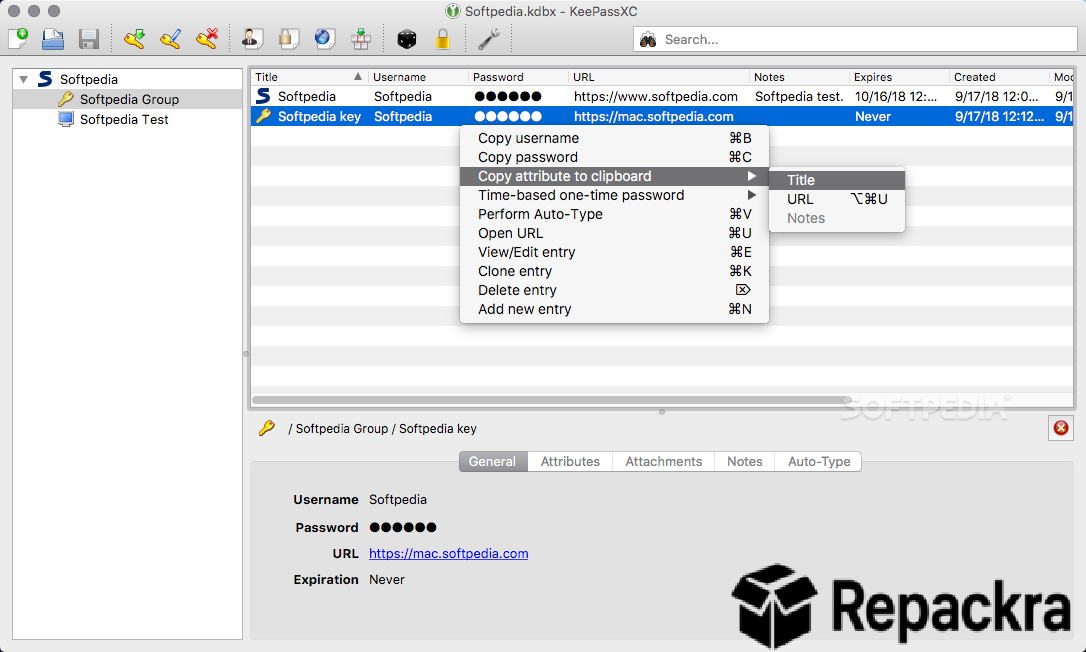
KeePassXC for PC is a free and open source password manager that stores your credentials in a strongly encrypted local database file that only you control. It generates strong passwords, organizes entries with tags and groups, autofills credentials in browsers through an extension, and supports hardware security keys for additional authentication.
KeePassXC for PC is the password manager for anyone who wants proper security without handing their most sensitive data to a company whose security practices they can’t verify.
Key Features:
- AES256 encrypted local password database
- Strong password generator with customizable rules
- Browser integration via KeePassXC Browser extension
- Hardware security key support for additional authentication
- TOTP two factor code generation built in
- SSH agent integration for developers
- Entry tagging and group organization
- Database sharing across devices via cloud sync
- Import from other password managers
- Fully compatible with Windows 10 and Windows 11
What’s New in Version 2.7.12
- Improved browser extension compatibility across all major browsers
- Better TOTP code generation reliability
- Updated encryption libraries with security improvements
- Several bug fixes and stability improvements
System Requirements
- Windows 7 or later, 64-bit recommended
- 2 GB RAM minimum
- 50 MB storage for the application itself
- Intel or AMD dual core processor
- No internet connection required for core functionality
How to Install KeePassXC on PC
- Download KeePassXC 2.7.12 for PC.
- Run the installer file.
- Follow the on screen installation steps.
- Launch KeePassXC for PC.
- Create your first database and set a strong master password.
How to Download KeePassXC for PC
- Visit the official KeePassXC website at keepassxc.org.
- Click the Download button for the Windows version.
- Wait for the installer to finish downloading.
- Open Downloads and run the installer.
- Follow the setup steps to complete installation.
Supported Websites
- KeePassXC Official Website
- GitHub Official Repository
- Softpedia
- MajorGeeks
- FileHippo
- Fosshub
- 1000+ other trusted sources
Why Use KeePassXC for PC?
What makes KeePassXC for PC the right choice for anyone who thinks carefully about password security is how completely it keeps you in control of your own data. Your encrypted database is a file that lives wherever you choose to put it, syncs however you choose to sync it, and opens only with credentials that never leave your device.
The browser extension autofill is smooth enough that daily use feels as convenient as any cloud based manager and the TOTP integration means you can manage two factor codes from the same tool without needing a separate authenticator app for most accounts. For anyone who has ever been uncomfortable with the idea of their passwords living on someone else’s server, KeePassXC for PC is the straightforward and trustworthy alternative.
KeePassXC vs Other Password Managers
| Feature | KeePassXC | Others |
|---|---|---|
| Local Encrypted Storage | Yes | Limited |
| Built in TOTP Generation | Yes | Limited |
| Hardware Security Key Support | Yes | Limited |
| Completely Free and Open Source | Yes | No |
| Windows Optimized | Yes | No |