


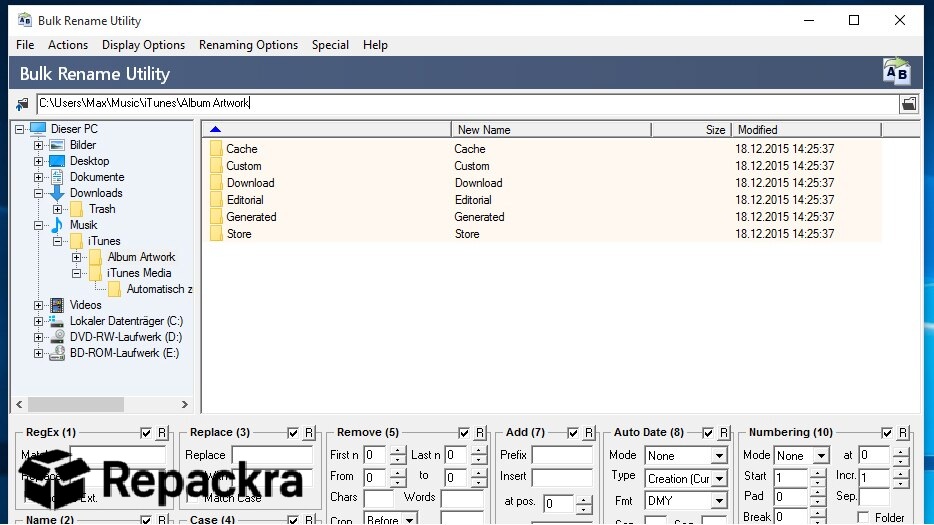
Bulk Rename Utility for PC is the file renaming tool that handles the kind of mass renaming jobs that would take hours manually and does them in seconds with more precision and flexibility than you would ever expect from a tool that costs nothing.
Version 4.1.0.1 brings a more stable and refined experience for anyone who regularly works with large collections of files that need consistent and structured naming. I use it whenever I have a folder of files that need renaming because nothing else on Windows comes close to the range of renaming options it puts in one place.
Bulk Rename Utility Overview
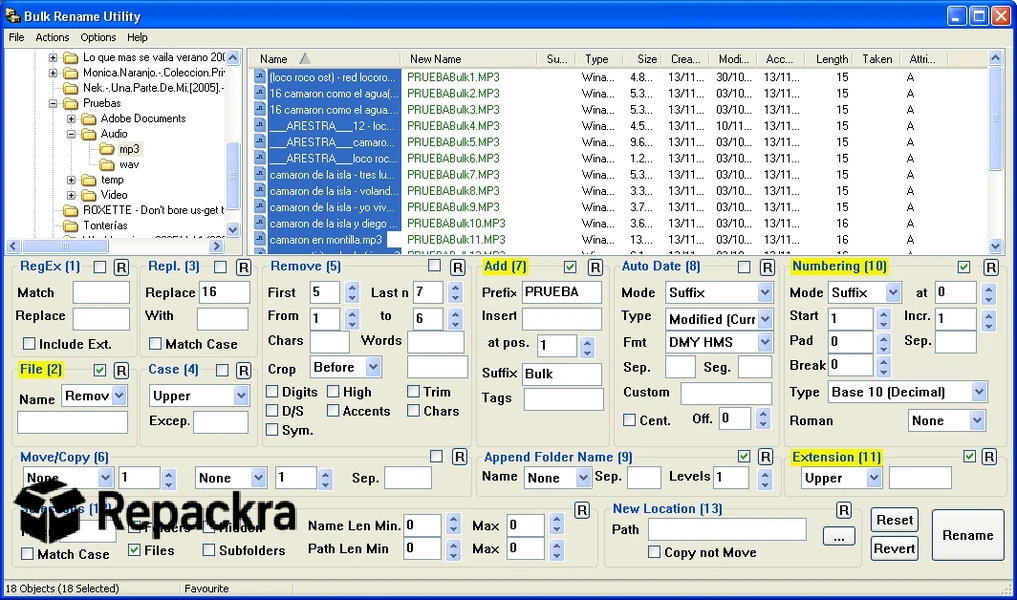
Bulk Rename Utility for PC is a powerful and free file renaming application that lets you apply complex renaming rules to hundreds or thousands of files simultaneously using combinations of text replacement, numbering, date insertion, regular expressions, and much more all previewed in real time before you commit to any changes.
It handles everything from simple prefix and suffix additions to sophisticated pattern based renames that would take scripting knowledge to achieve any other way. Bulk Rename Utility for PC is the tool that makes file organization genuinely fast and precise.
Anyone who finds themselves renaming files straight from their everyday file browser before batching them through more advanced rules will find Files app for PC a natural companion, giving quick access to the folders and files that Bulk Rename Utility is about to transform.
Key Features:
- Real time preview of all renaming changes before applying
- Text replacement, insertion, and removal tools
- Auto numbering with customizable format and sequence
- Date and time based renaming from file metadata
- Regular expression support for pattern matching
- Extension changing and case conversion
- Folder renaming alongside file renaming
- Undo functionality for reversing applied changes
- Filter by file type, size, and date for selective renaming
- Fully compatible with Windows 10 and Windows 11
What’s New in Version 4.1.0.1
- Improved regular expression handling accuracy
- Better performance on very large file batches
- Updated interface with minor usability improvements
- Several bug fixes and stability improvements
System Requirements
- Windows 7 or later, 64-bit recommended
- 2 GB RAM minimum
- 10 MB storage for the application itself
- Intel or AMD dual core processor
- No internet connection required
How to Install Bulk Rename Utility on PC
- Download Bulk Rename Utility 4.1.0.1 for PC.
- Run the installer file.
- Follow the on screen installation steps.
- Launch Bulk Rename Utility for PC.
- Navigate to your target folder and start building your renaming rules.
How to Download Bulk Rename Utility for PC
- Visit the official Bulk Rename Utility website.
- Click the Download button for the Windows version.
- Wait for the installer to finish downloading.
- Open Downloads and run the installer.
- Follow the setup steps to complete installation.
Supported Websites
- Bulk Rename Utility Official Website
- Softpedia
- MajorGeeks
- FileHippo
- Fosshub
- Filehorse
- 1000+ other trusted sources
Why Use Bulk Rename Utility for PC?
What makes Bulk Rename Utility for PC the go to recommendation for any serious file organization task is how the real time preview eliminates the fear of making a mistake that would take forever to manually undo. You can build up complex renaming rules combining multiple operations and see exactly what every file will look like after the change before committing to anything.
The numbering system alone is worth the download for anyone who manages photo libraries, podcast archives, or any collection where consistent sequential naming matters. Regular expression support takes it further than most users will ever need to go but it’s there for the cases where nothing simpler will cover what you’re trying to accomplish.
Anyone who ends up renaming files as part of a larger move or backup job will find FastCopy for PC a natural companion, handling the fast transfer of those files once Bulk Rename Utility has finished organizing them.
Bulk Rename Utility vs Other Renaming Tools
| Feature | Bulk Rename Utility | Others |
|---|---|---|
| Real Time Rename Preview | Yes | Limited |
| Regular Expression Support | Yes | Limited |
| Date and Time Based Renaming | Yes | Limited |
| Undo Functionality | Yes | Limited |
| Windows Optimized | Yes | No |








