

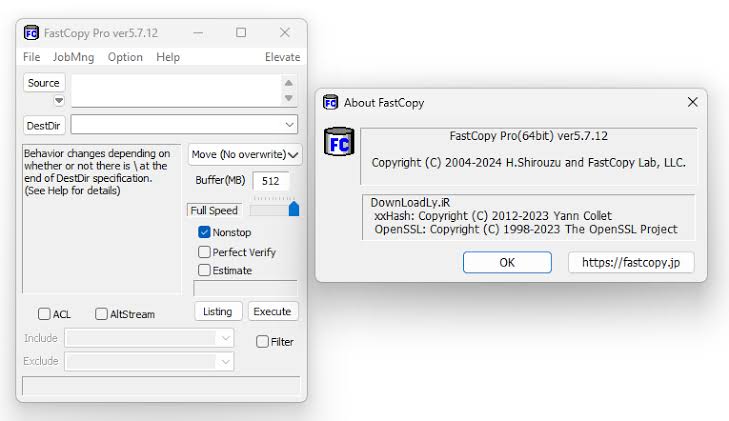
FastCopy for Windows is the file copy tool that makes you realize how slow Windows Explorer actually is when you need to move large amounts of data quickly and without interruption. Version 5.12.0 delivers the fastest and most reliable file copying experience available on any Windows machine. I reach for it every time a large transfer needs to happen because the speed difference over the built in copy dialog is immediately obvious.
Users who also want a modern tabbed file manager to complement FastCopy’s raw transfer power will find Files App for Windows a natural companion, replacing the dated Windows Explorer with a clean dual pane interface that makes navigating source and destination folders far more effortless.
FastCopy Overview
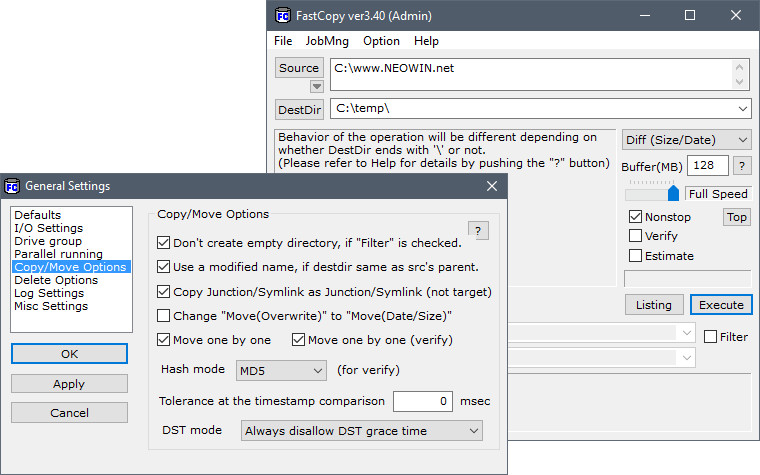
FastCopy for Windows is a free and open source high speed file copy, move, and delete utility that bypasses the limitations of the standard Windows file handling system to deliver maximum transfer speeds with minimal CPU usage. It handles everything from copying single large files to syncing entire folder structures with filtering and verification options that make it genuinely useful for both everyday transfers and serious data management tasks.
FastCopy for Windows gives you the control and speed that Windows file management should have always provided. Users who deal with large file collections and need to rename hundreds of files before or after a transfer will find Bulk Rename Utility for Windows an essential companion, handling batch renaming with regex, numbering, and metadata based rules in ways that no file manager comes close to matching.
Key Features:
- High speed file copying that maximizes drive throughput
- Copy, move, sync, and delete operations supported
- Inclusion and exclusion filters for selective transfers
- Verification mode to confirm transfer integrity
- Detailed real time progress with speed and time remaining
- Command line interface for scripting and automation
- Portable version available with no installation needed
- Unicode and long file path support
- Shell extension for right click context menu access
- Fully compatible with Windows 10 and Windows 11
What’s New in Version 5.12.0
- Improved transfer speed on NVMe to NVMe operations
- Better handling of very long file path names
- Updated shell extension for Windows 11 context menu
- Several bug fixes and stability improvements
System Requirements
- Windows 7 or later, 64-bit recommended
- 2 GB RAM minimum
- 5 MB storage for the application itself
- Intel or AMD dual core processor
- No internet connection required
How to Install FastCopy on Windows
- Download FastCopy 5.12.0 for Windows.
- Run the installer file or use the portable version directly.
- Follow the on screen installation steps.
- Launch FastCopy for Windows.
- Set your source and destination and start your first transfer.
How to Download FastCopy for Windows
- Visit the official FastCopy website.
- Click the Download button for the Windows version.
- Wait for the installer to finish downloading.
- Open Downloads and run the installer.
- Follow the setup steps to complete installation.
Supported Websites
- FastCopy Official Website
- GitHub Official Repository
- Softpedia
- MajorGeeks
- FileHippo
- Fosshub
- 1000+ other trusted sources
Why Use FastCopy for Windows?
FastCopy for Windows removes every bottleneck that slows down standard Windows file transfers by reading and writing data in optimized buffers tuned to your specific hardware. The sync mode makes it genuinely useful for backup and mirroring tasks where you only want to copy files that have changed since the last run, and the filter system lets you exclude specific file types without manually curating the source beforehand.
Users who need to locate specific files across large drives before deciding what to copy or sync will find Everything for Windows an indispensable companion, finding any file by name instantly across an entire drive in a fraction of a second regardless of where it lives. For anyone who regularly moves large amounts of data and has grown frustrated with slow progress dialogs, FastCopy for Windows solves the problem completely.
FastCopy vs Other File Copy Tools
| Feature | FastCopy | Others |
|---|---|---|
| Maximum Drive Throughput | Yes | Limited |
| Sync and Mirror Mode | Yes | Limited |
| Transfer Verification | Yes | Limited |
| Portable Version Available | Yes | Limited |
| Windows Optimized | Yes | No |








