

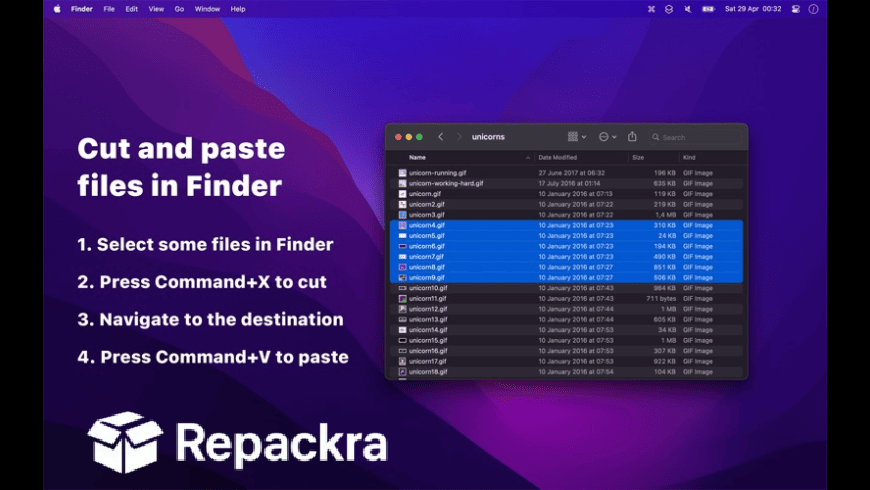
Command X for Mac is the small utility that fixes one of the most persistently annoying gaps in the macOS experience, the fact that you cannot cut and paste files in Finder the same way you can on Windows. Version 1.7.1 brings a more stable and reliable experience for anyone who has spent years,
working around this missing feature with clunky drag and drop operations when a simple keyboard shortcut would do the job in half the time. I keep it installed because the moment you have Command X working properly in Finder, going back to any Mac without it feels genuinely limiting.
Command X Overview
Command X for Mac is a lightweight utility that adds proper cut and paste file functionality to macOS Finder using the familiar Command X to cut and Command V to paste keyboard shortcut workflow that Windows users have always had and Mac users have always wanted. It works system wide in Finder without affecting how Command X behaves in any other app where it already works correctly for text and other content. Command X for Mac is one of those tools that feels like it should have been built into macOS years ago.
Key Features
- Cut and paste files in Finder with Command X and Command V
- Works system wide across all Finder windows
- Does not affect Command X behavior in other apps
- Visual feedback showing cut files before pasting
- Safe operation that moves rather than copies files
- Supports cutting multiple files at once
- Works with files and folders equally
- Lightweight with minimal resource usage
- Launches at login for always on availability
- Fully optimized for macOS Sequoia
What’s New in Version 1.7.1
- Improved reliability when cutting across different volumes
- Better visual feedback for cut file state
- macOS Sequoia compatibility fully resolved
- Several bug fixes and stability improvements
System Requirements
- macOS 12.0 or later
- 4 GB RAM minimum
- 10 MB storage space available
- Intel or Apple Silicon Mac supported
How to Install Command X on Mac
- Download Command X 1.7.1 for Mac.
- Open the DMG file.
- Drag Command X to your Applications folder.
- Launch Command X for Mac.
- Grant accessibility permissions when prompted and start cutting files.
How to Download Command X for Mac
- Visit the official Command X website or Mac App Store.
- Click the Download button on the page.
- Wait for the DMG file to finish downloading.
- Open Downloads and open the DMG file.
- Drag to Applications and launch.
Supported Websites
- Command X Official Website
- Apple Mac App Store
- MacUpdate
- Softpedia
- Fosshub
- Filehorse
- 1000+ other trusted sources
Why Use Command X for Mac?
What makes Command X for Mac worth installing immediately is how completely it removes a workflow friction point that most Mac users have just quietly accepted as the way things are. The alternative of copying a file, navigating to the destination, pasting it, navigating back, and deleting the original is technically functional but genuinely slower and more error prone than a simple cut and paste.
Command X for Mac makes file organization in Finder feel as fast and intuitive as it should have always been and the fact that it correctly isolates the behavior to Finder without breaking Command X anywhere else shows the care that went into building it properly.
Windows users moving large batches of files who want that same speed and reliability in their move operations often turn to FastCopy for PC, which handles high volume file transfers with a level of efficiency that matches what Command X brings to everyday cut and paste on Mac.
Command X vs Other Finder Enhancement Tools
| Feature | Command X | Others |
|---|---|---|
| Native Cut and Paste in Finder | Yes | Limited |
| Works Across All Volumes | Yes | Limited |
| Non Destructive Operation | Yes | Limited |
| Isolated to Finder Only | Yes | No |
| Mac Optimized | Yes | No |








