

Node.js for Windows is the JavaScript runtime that turned server side development upside down and remains the foundation that millions of modern web applications, developer tools, and automation scripts are built on. Version 26.7.0 brings the latest performance improvements and language feature support that keep Node.js for Windows at the cutting edge of what the JavaScript ecosystem expects from a runtime environment.
I use it on every development machine I set up because the tooling ecosystem built around it is simply too large and too useful to work without. Developers who want a significantly faster alternative runtime for scripts, bundling, and package installation will find Bun for Windows worth keeping alongside Node.js, offering drop in compatibility with most npm packages while running considerably faster on startup and install operations.
Node.js Overview
Node.js for Windows is a free and open source JavaScript runtime built on Chrome’s V8 engine that lets you run JavaScript outside the browser for server side applications, build tools, command line utilities, and virtually anything else you can express in code. It comes with npm, the world’s largest software registry, giving you access to millions of packages that cover nearly every programming need imaginable.
Node.js for Windows is the foundation that most modern JavaScript and TypeScript development tooling is built on whether you realize it or not. Developers who write their JavaScript and TypeScript projects on Windows will find VS Code for Windows the most natural editor to pair with Node.js, with built in terminal support, IntelliSense for npm packages, and a debugging setup that works directly with Node.js processes out of the box.
Key Features:
- V8 JavaScript engine with latest ECMAScript support
- npm package manager with access to millions of packages
- Asynchronous event driven architecture for high performance
- Built in HTTP, file system, and crypto modules
- Native ES module and CommonJS support
- Worker threads for CPU intensive operations
- Built in test runner for JavaScript testing
- Long term support release cycle for stability
- Active community with extensive documentation
- Fully compatible with Windows 10 and Windows 11
What’s New in Version 26.7.0
- Updated V8 engine with latest JavaScript feature support
- Improved native module compatibility on Windows
- Better performance for file system intensive operations
- Several bug fixes and stability improvements
System Requirements
- Windows 10 or later, 64-bit recommended
- 4 GB RAM minimum, 8 GB recommended for larger projects
- 200 MB storage for the runtime plus project dependencies
- Intel or AMD dual core processor
- Active internet connection for npm package installation
How to Install Node.js on Windows
- Download Node.js 26.7.0 for Windows.
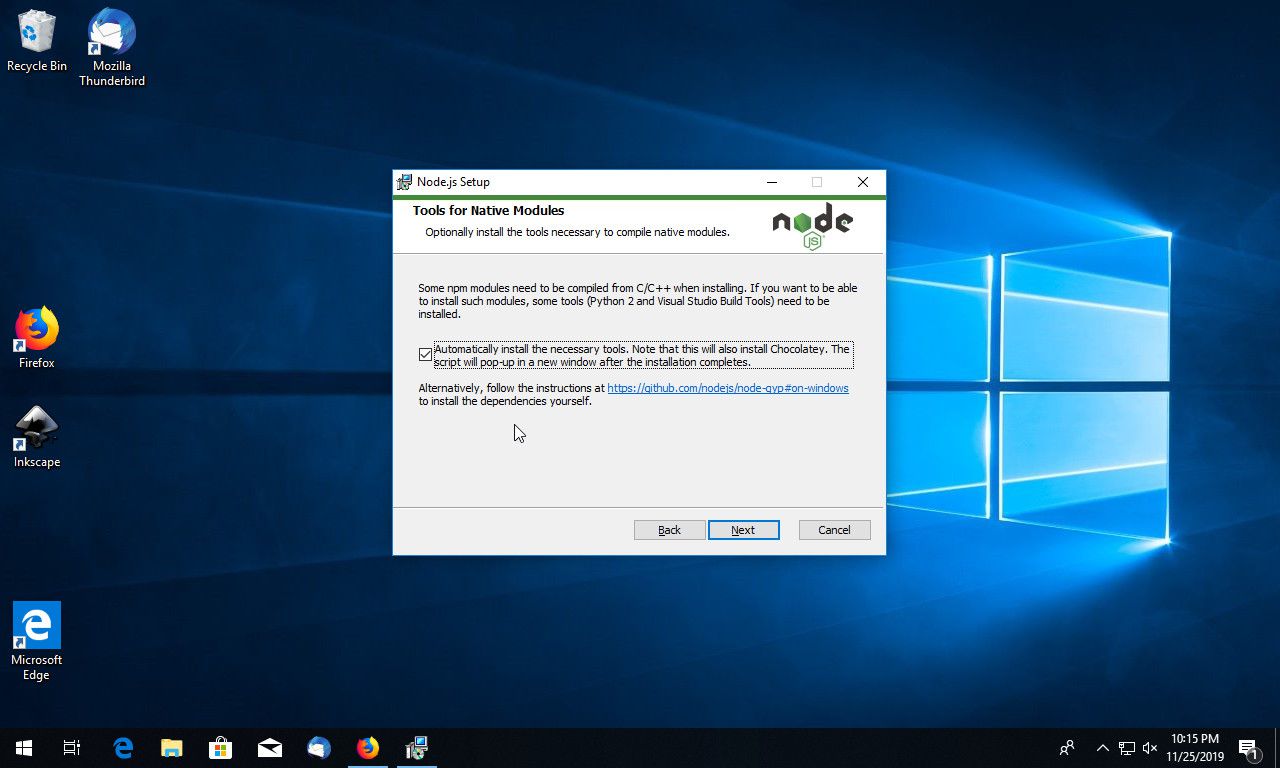
- Run the installer file.
- Follow the on screen installation steps including npm setup.
- Open a new terminal window.
- Run node –version to confirm the installation completed successfully.
How to Download Node.js for Windows
- Visit the official Node.js website at nodejs.org.
- Click the Download for Windows button for version 26.7.0.
- Wait for the installer to finish downloading.
- Open Downloads and run the installer.
- Follow the setup steps to complete installation.
Supported Websites
- Node.js Official Website
- GitHub Official Repository
- npm Official Registry
- Softpedia
- MajorGeeks
- Fosshub
- 1000+ other trusted sources
Why Use Node.js for Windows?
Node.js for Windows puts the entire JavaScript ecosystem at your fingertips in a way that no other runtime environment comes close to matching. The npm registry alone contains enough packages to solve virtually any programming problem without writing everything from scratch and the asynchronous architecture means applications built on Node.js handle concurrent requests efficiently without the complexity,
that multi-threaded alternatives typically require. Whether you are building a REST API, running a build tool like webpack or Vite, writing automation scripts, or developing a full stack application, Node.js for Windows is almost certainly part of the toolchain already.
Developers who containerize their Node.js applications for consistent deployment across environments will find Docker Desktop for Windows the most complete containerization platform for the job, with a clean dashboard and full Compose support that makes running multi service stacks straightforward.
Those who prefer a daemonless and rootless container workflow will find Podman Desktop for Windows a compelling alternative that runs containers without requiring a background service while staying compatible with existing Docker images and configurations. For any developer working with modern JavaScript or TypeScript on Windows, it is simply the foundation everything else depends on.
Node.js vs Other JavaScript Runtimes
| Feature | Node.js | Others |
|---|---|---|
| npm Package Ecosystem Size | Yes | Limited |
| Long Term Support Releases | Yes | Limited |
| Native Module Support | Yes | Limited |
| Built in Test Runner | Yes | Limited |
| Windows Optimized | Yes | No |








