
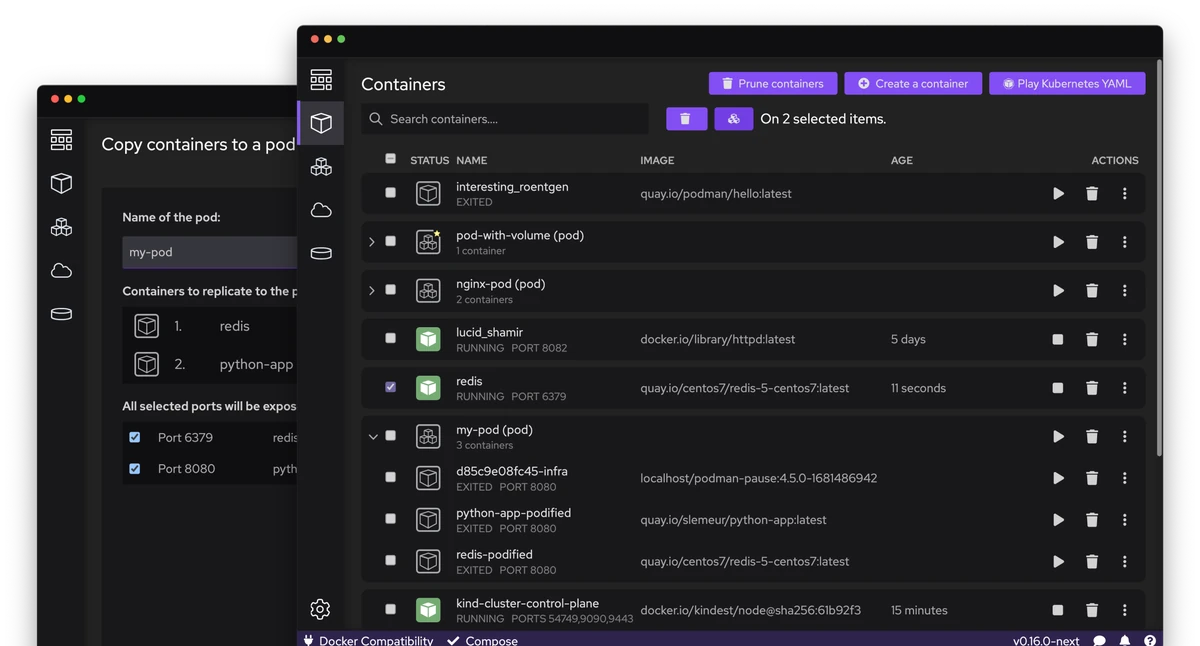
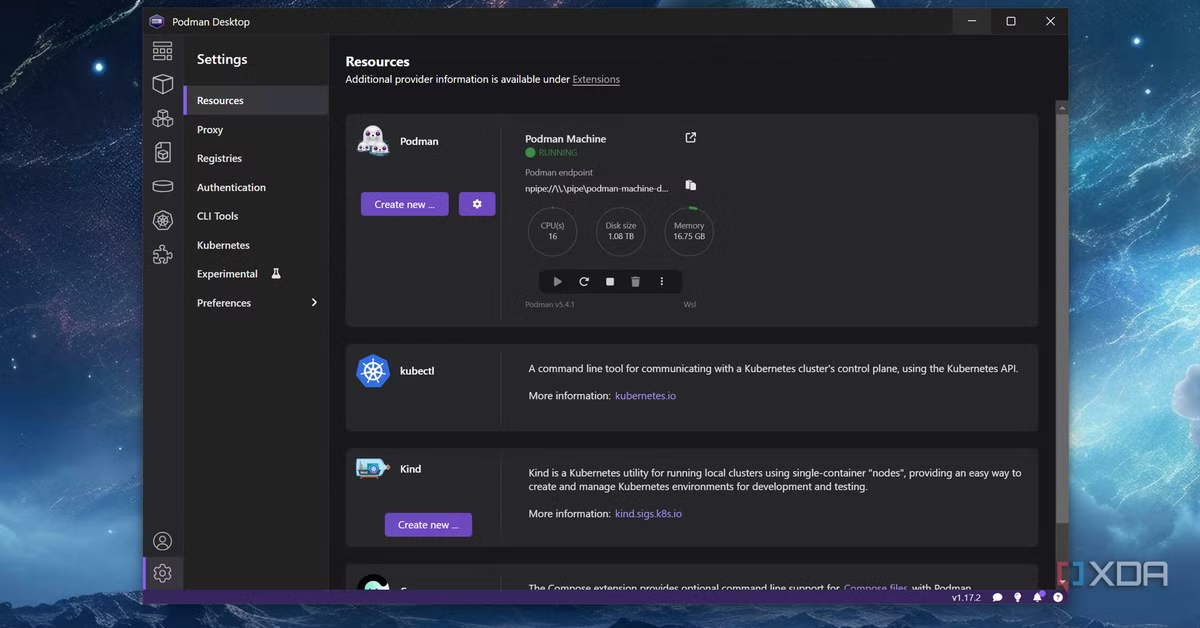
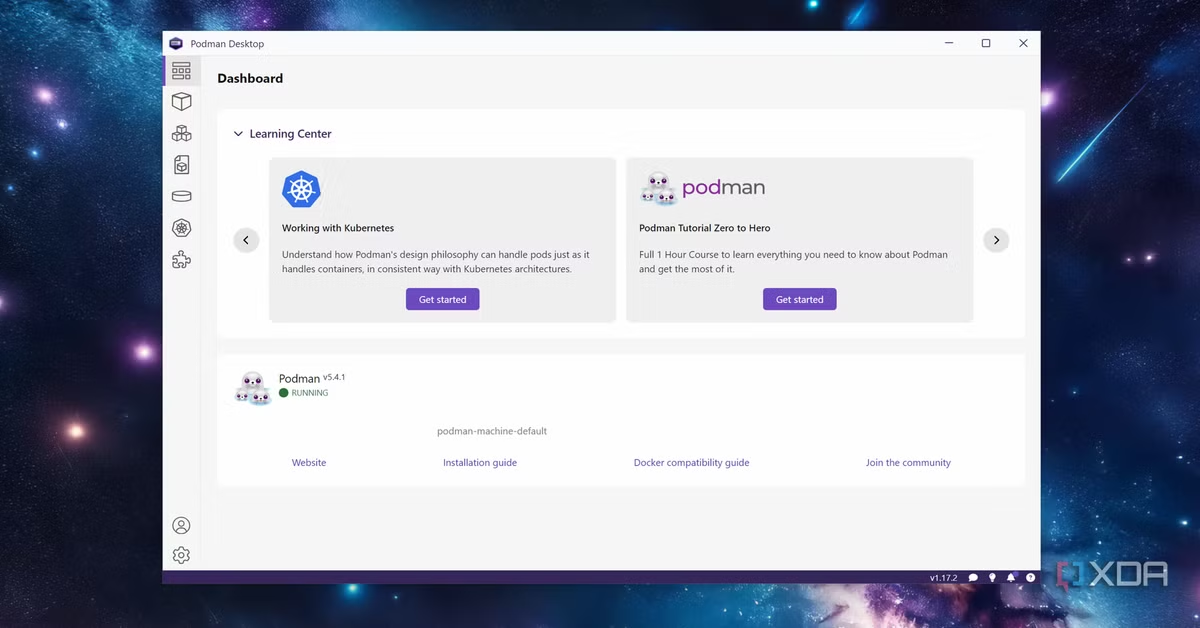
Podman Desktop for Windows is the container management tool that makes working with containers feel approachable without stripping away any of the power that experienced developers depend on. Podman Desktop for Windows 1.29.1 gives you a clean visual interface for managing containers, images, pods, and volumes without touching the command line for every single operation.
I use it daily because having a unified dashboard that shows exactly what is running, what is consuming resources, and what needs attention saves genuine time on every single project. It brings serious container management capabilities to Windows in a way that finally feels native and complete.
I switched over from Docker Desktop for Windows a while back mainly to avoid the licensing questions that come with using it commercially, and Podman Desktop has covered everything I actually needed since.
Podman Desktop Overview
Podman Desktop for Windows is an open source container management application built for developers who want the full power of Podman, Kubernetes, and container workflows wrapped in a visual interface that does not get in the way. It connects to multiple container engines simultaneously so you can manage Podman, Docker, and Lima environments all from one single dashboard without switching tools.
It supports the full container lifecycle from pulling images and building containers to deploying pods and working with Kubernetes YAML files directly inside the application. It handles everything a modern containerized development workflow demands and does it without requiring a Docker Desktop subscription or any proprietary lock in.
Most of the Dockerfiles and Containerfiles I build here get edited in VS Code for Windows first, since the extension ecosystem makes syntax highlighting and linting for container configs genuinely painless.
Key Features:
- Visual dashboard for containers, images, pods, and volumes
- Podman and Docker engine support simultaneously
- Kubernetes context management and deployment support
- Built in terminal for direct container access
- Image building from Dockerfile and Containerfile
- Pod creation and management interface
- Volume and network management tools
- Extension system for added functionality
- Compose file support for multi container apps
- Real time container logs and resource monitoring
- Registry management for pulling and pushing images
- Rootless container support for improved security
- Kind and Minikube cluster integration
- Open source with no subscription required
- Fully optimized for Windows 10 and Windows 11
What’s New in Podman Desktop 1.29.1
- Kubernetes deployment workflow improved with better YAML handling
- Extension system updated with faster loading and improved stability
- Image build process refined for more reliable Dockerfile support
- Connection handling improved for smoother multi engine switching
- Several bug fixes and performance improvements across the entire dashboard
System Requirements
- OS: Windows 10 or later
- RAM: At least 8 GB with 16 GB recommended
- Storage: 1 GB of free space
- Processor: Intel or AMD 64 bit modern multi core processor supported
How to Install Podman Desktop on Windows
- Download Podman Desktop for Windows 1.29.1 full version.
- Extract the downloaded file.
- Open the installer file.
- Follow the on screen installation steps.
- Launch Podman Desktop for Windows.
- Complete the initial setup and connect your container engine.
How to Download Podman Desktop Using Windows
- Visit the official Podman Desktop website.
- Click the Download for Windows button on the homepage.
- Wait for the installer file to finish downloading.
- Open your Downloads folder.
- Run the installer file to begin installation.
Supported Websites
- Podman Desktop Official Website
- GitHub Official Page
- Red Hat Developer Portal
- Softpedia
- Fosshub
- MajorGeeks
- 1000+ other trusted sources
Why Use Podman Desktop for Windows?
Podman Desktop for Windows fills a gap that every Windows developer working with containers has felt which is a capable, open, and genuinely well designed visual tool that does not come with a subscription fee or force you into a single container engine ecosystem. The ability to connect Podman and Docker simultaneously means you can migrate projects gradually without disrupting anything that is currently running.
Kubernetes support built directly into the dashboard means you can manage local clusters, apply manifests, and inspect deployments without leaving the application or opening a separate kubectl terminal session. For the actual application code running inside these containers, I still keep Node.js for Windows installed locally for testing outside a container, and lately Bun for Windows has been creeping into more of my projects as a faster alternative for smaller scripts and tooling.
The extension system keeps the core application lean while letting you add exactly the functionality your workflow needs. Podman Desktop for Windows is the container management tool that respects your time, your workflow, and your freedom to choose the tools that work best for your specific environment.
Podman Desktop vs Other Container Tools
| Feature | Podman Desktop for Windows | Others |
|---|---|---|
| Multi Engine Support | Yes | Limited |
| Kubernetes Integration | Yes | Limited |
| Rootless Containers | Yes | No |
| Open Source | Yes | No |
| Extension System | Yes | Limited |
| Windows Optimized | Yes | No |
Frequently Asked Questions
Here are the most asked questions about Podman Desktop for Windows:








